
Socket Debug Tool: From Port to Raw Bytes
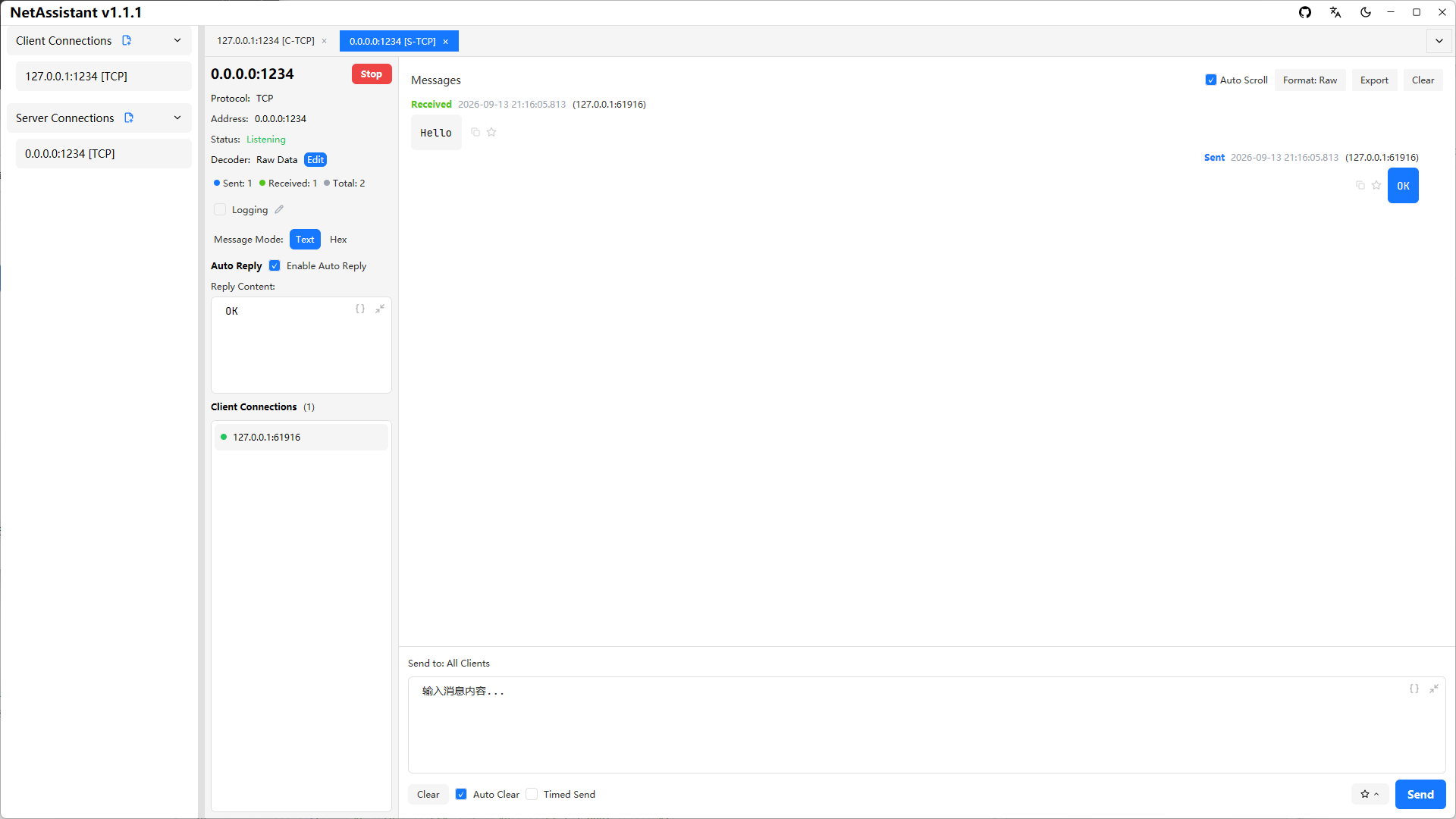
Socket debugging means working directly with TCP/UDP endpoints: connect to a port or listen on one yourself, then check whether the connection is established and whether bytes flow. NetAssistant provides exactly that—TCP/UDP client and server, local address binding, IPv4/IPv6 and hex payloads.
Download NetAssistant · TCP/UDP debugging guide · All features
Who it is for
- Reachability checks: confirm a service is listening and a firewall allows it
- Client/server simulation: validate the path before real devices or services exist
- Multi-NIC hosts: bind a local address and verify the source IP used
- Protocol integration: exchange raw bytes without framework noise
What the tool covers
| Capability | Description |
|---|---|
| TCP client | Connect to ip:port and verify handshake and traffic |
| TCP server | Listen on a local port and manage multiple connections |
| UDP client | Send datagrams to a target without connecting |
| UDP server | Listen locally and show the source address of each datagram |
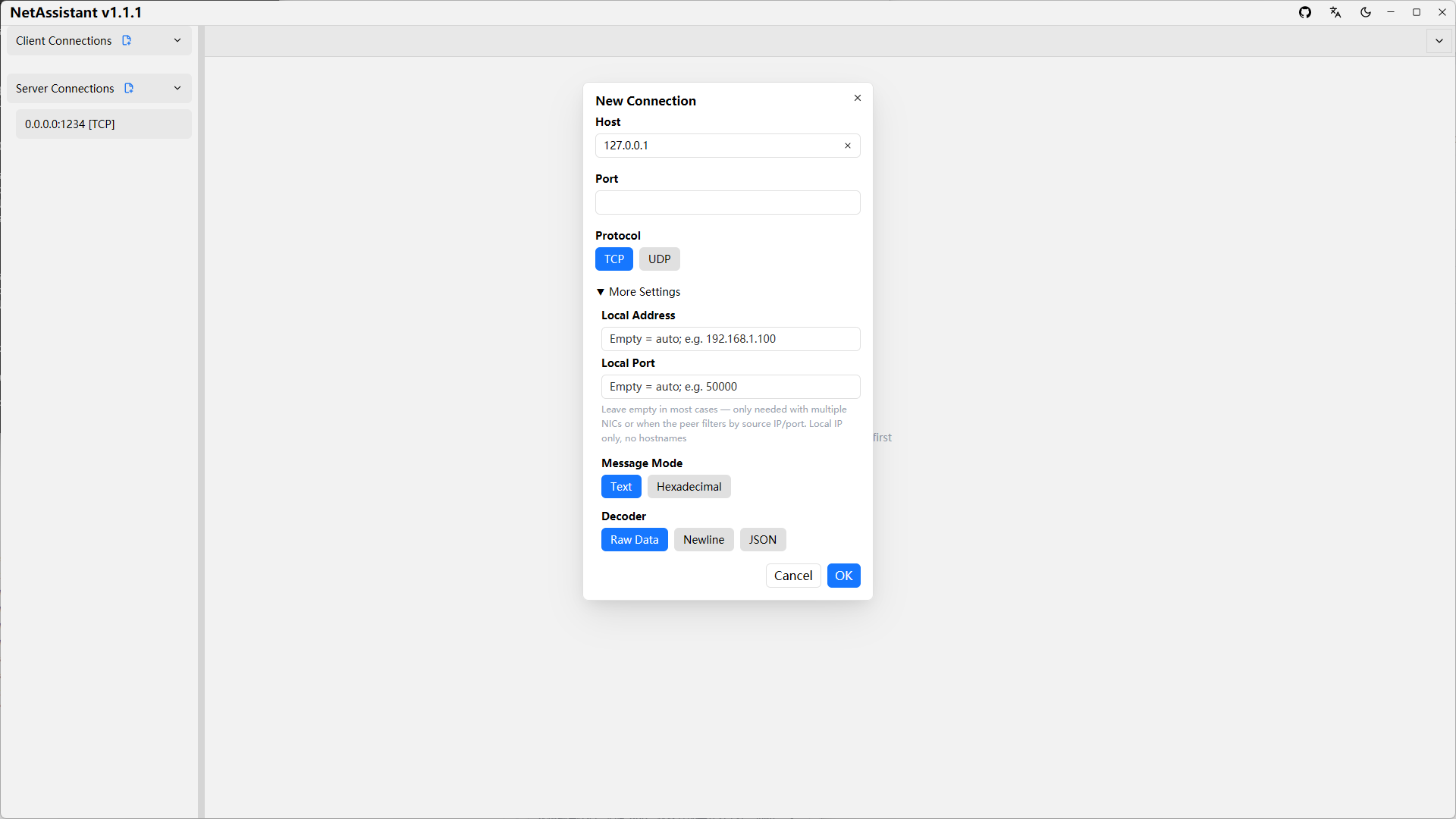
| Local bind | Choose the source or listening address for multi-NIC hosts |
| IPv4 / IPv6 | Both address families are supported |
Common troubleshooting flows
The port will not connect
- Connect with a TCP client to the target
ip:port - Connection refused: the host is reachable but nothing is listening
- Timeout: more likely a firewall drop, routing issue or wrong address
- Start a local TCP server on the same port to rule out the tool itself
Listening fails
- Another process already owns the port; test with a high port
- Ports below 1024 need elevated privileges on some systems
- The bound address does not belong to a local interface
- Security software blocks the listen operation
Data arrives but is unreadable
Switch to hex mode to inspect raw bytes. For inbound pushes, remember that TCP is a byte stream and may need framing decoders.
Not a serial port tool
A socket debug tool works with network endpoints; a serial assistant works with COM ports, baud rates and serial frames. They solve problems at different layers. NetAssistant does not debug serial ports or Unix domain sockets. For RS-232/RS-485, AT commands over serial or local inter-process sockets, use a serial tool or the operating system utilities.
Quick start
- Create a connection and choose TCP or UDP, client or server
- Enter the target address and port, or the listening port
- On multi-NIC hosts, optionally bind a local address
- After connecting or listening, type a payload and choose text or hex
- Watch messages and connection state, and export the log if needed
FAQ
What is a socket debug tool for?
Working directly with TCP/UDP endpoints to connect, listen, exchange raw bytes and inspect connection state.
Can it debug serial ports or Unix domain sockets?
No. Only TCP/UDP/MQTT network connections are supported.
What if listening on a port fails?
Check port ownership, privileges, bound address and firewall rules; a high port rules out permissions quickly.
Can it test whether a port is reachable?
Yes. A successful TCP connection means the port is reachable; refused usually means no listener, timeout suggests a firewall or route issue.