
NetAssist Alternative: NetAssistant vs NetAssist
If you use NetAssist (网络调试助手), you may have run into its limits: Windows only, closed source, limited TCP sticky-packet handling, and no built-in stress testing. NetAssistant is a free, open-source alternative, but replacing NetAssist is not always necessary.
This page compares both tools by real usage scenarios so you can decide whether migration is worth it.
Bottom line
- Only need basic TCP/UDP send and receive and prefer the classic UI: NetAssist is still fine
- Need sticky-packet decoding, built-in TCP/UDP stress testing, message search/export or MQTT: NetAssistant is the better fit
- Using macOS or Linux: NetAssist is not available, so use NetAssistant
- Want open source and free access: NetAssistant is Apache-2.0 licensed
Key differences
| Dimension | NetAssistant | NetAssist |
|---|---|---|
| Platforms | Windows / macOS / Linux (x64 + ARM64) | Windows only |
| Open source | Apache-2.0 | Closed source |
| TCP client/server | Yes | Yes |
| UDP client/server | Yes | Yes |
| TCP sticky-packet decoders | Raw / line / length-prefix / JSON | Limited |
| Built-in stress testing | QPS + p50/p95/p99 | No |
| IPv6 | Full support | Partial |
| MQTT | MQTT 3.1.1 / 5.0 client | No |
| Message search/favorites/export | TXT / JSON / CSV | Limited |
| Auto-reply / periodic send | Yes | Yes |
| UI | Native GPUI rendering, dark mode, tabs | Traditional |
Detailed comparison
Platforms and installation
NetAssist is Windows-only. NetAssistant ships native builds for Windows, macOS and Linux. On Windows, install it with one command:
winget install SunJary.NetAssistantSee the Windows guide, macOS guide or Linux guide for platform-specific steps.
TCP sticky-packet handling
This is the biggest difference. NetAssist has limited support for TCP sticky and split packets, so variable-length binary protocols usually end up as a raw byte view.
NetAssistant provides four receive-side decoders:
| Decoder | Best for |
|---|---|
| Raw | Show incoming bytes as-is |
| Line-delimited | Newline-framed text such as AT commands or logs |
| Length-prefix | Binary protocols with a length field |
| JSON | Complete JSON objects over TCP |
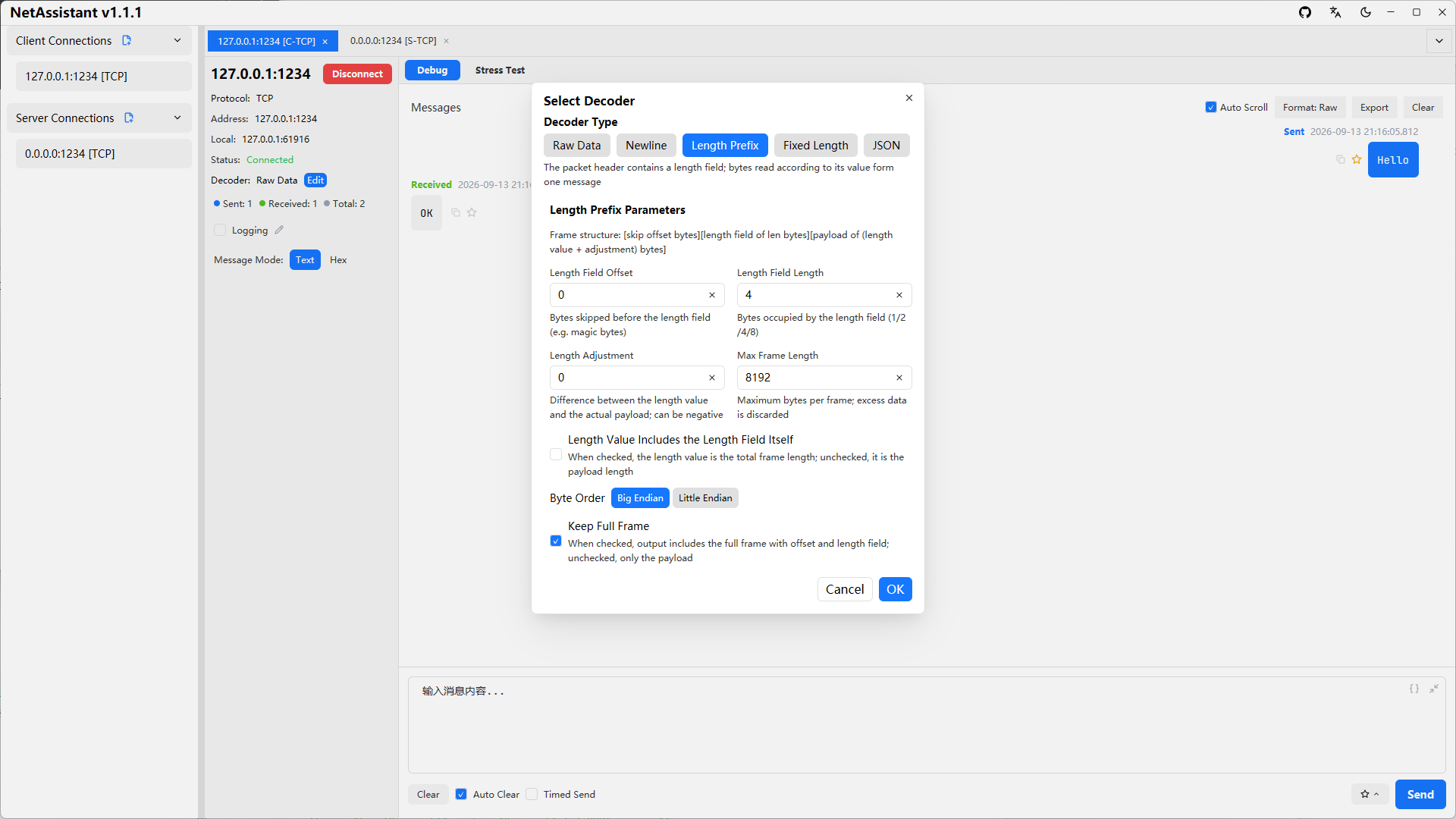
For the underlying causes and solutions, see TCP sticky packets.
Stress testing
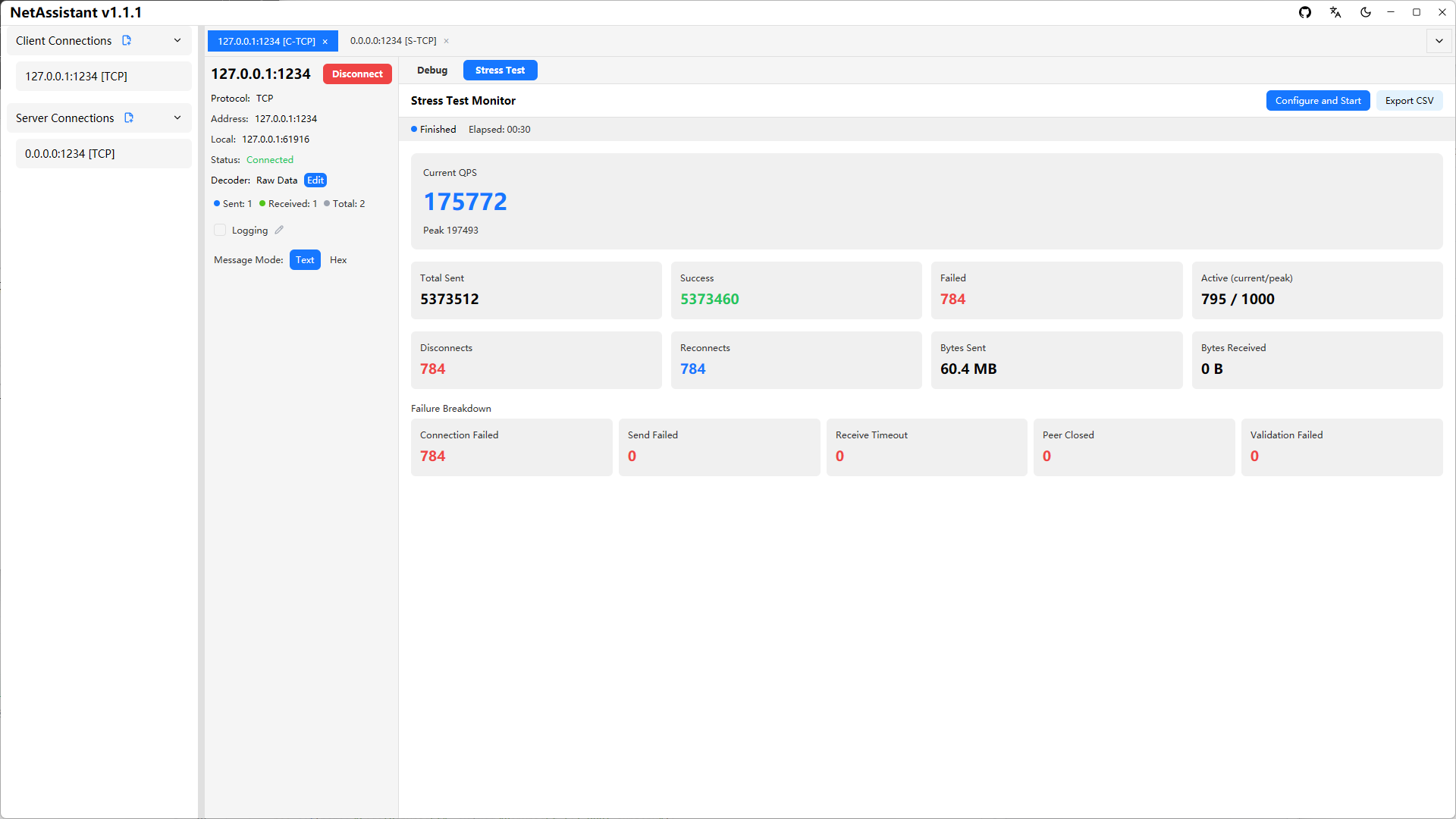
NetAssist has no built-in load testing. NetAssistant includes a TCP/UDP stress engine with Ping-Pong and throughput modes, live QPS, p50/p95/p99 latency, failure breakdown and CSV export.
Message management and export
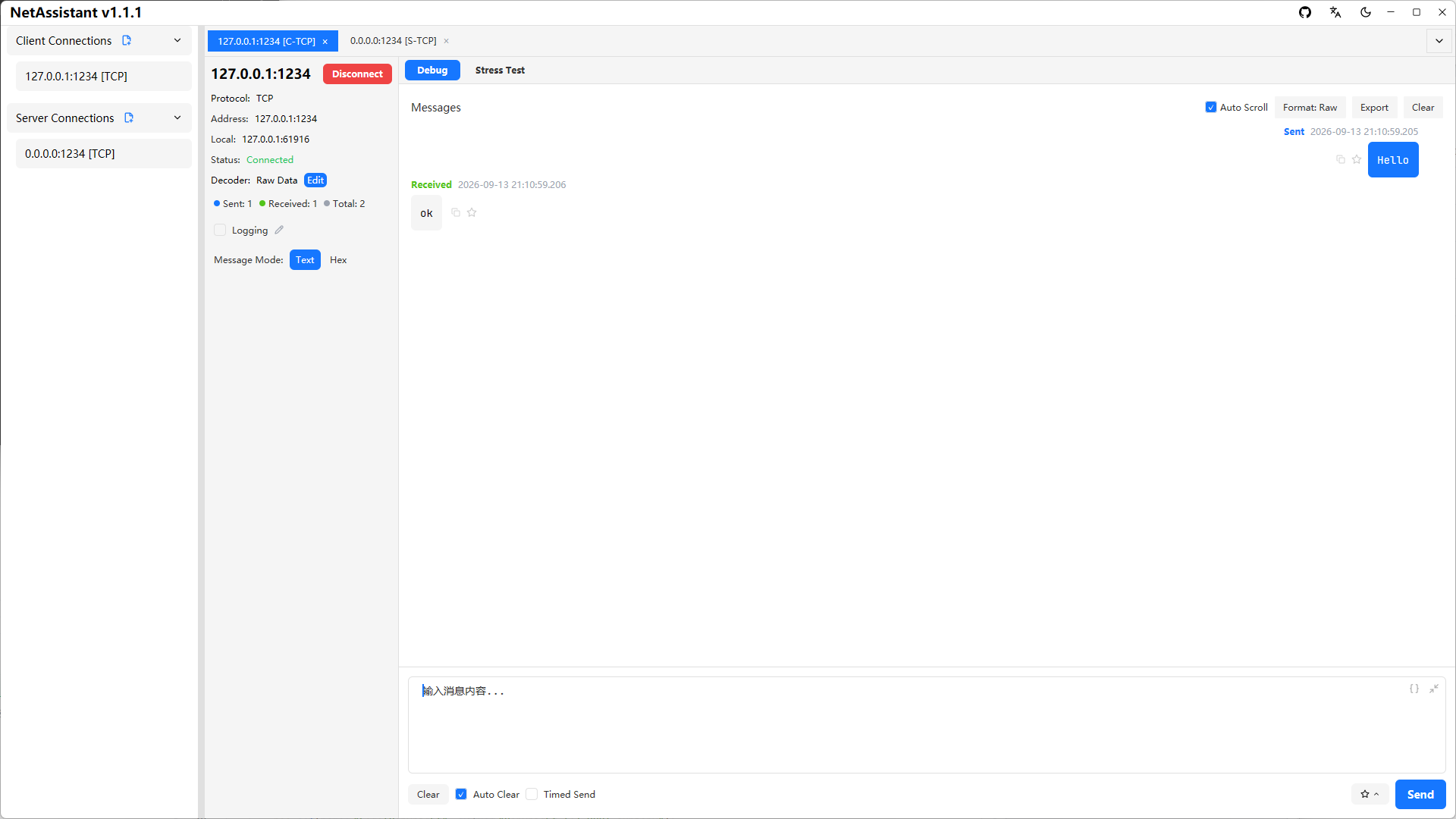
NetAssistant presents traffic as a chat-style log with search, favorites, notes and TXT/JSON/CSV export. That is much easier to work with during long debugging sessions than scrolling a raw text box.
MQTT and protocol coverage
NetAssist focuses on TCP/UDP. NetAssistant adds an MQTT client (3.1.1 or 5.0 per connection) with subscription management, QoS 0/1/2, retain, last-will messages and auto-reply, plus TLS with three verification modes and mutual TLS. MQTT over WebSocket and advanced 5.0 features are not provided.
Automation
Both support auto-reply and periodic sending. NetAssistant adds finer reply conditions: key, JSON field, regex, source address and checksum combinations, with inline testing.
Open source and maintainability
NetAssist is closed source, so fixes depend on the vendor. NetAssistant is Apache-2.0 open source on GitHub; you can build it yourself, file issues or contribute.
When NetAssist is still the right choice
To be fair, NetAssist remains a good option if:
- You only need basic TCP/UDP send/receive and hex display
- You are comfortable with its UI and do not want to migrate
- You only work on Windows and do not need decoders, load testing or MQTT
NetAssistant is not trying to prove NetAssist is unusable. It fills the gaps in sticky-packet handling, stress testing, message management and cross-platform support.
Migrating from NetAssist
- Install: run
winget install SunJary.NetAssistanton Windows, or get an installer from the download page - Create the connection: keep the same protocol, role (client/server), remote address and port
- Choose a decoder: line-delimited for text protocols, length-prefix for binary protocols, JSON for JSON over TCP
- Save: connection settings are persisted automatically
Direct import of NetAssist configuration files is not supported; connections need to be recreated, which usually takes a few minutes.
FAQ
Is there a Mac version of NetAssist?
No. NetAssist is Windows-only. NetAssistant offers native macOS and Linux builds.
Can NetAssistant fully replace NetAssist?
It covers basic TCP/UDP send/receive, hex mode, auto-reply and periodic sending, and adds four sticky-packet decoders, built-in TCP/UDP stress testing, message export and MQTT 3.1.1 / 5.0.
Which is better on Windows?
NetAssist is enough for basic send/receive. NetAssistant is better for sticky-packet decoding, TCP/UDP QPS and latency-percentile stress testing, message management, MQTT or cross-platform work.
Is NetAssistant free?
Yes. It is open source under Apache-2.0 and all features are free.
Is data uploaded to the cloud?
NetAssistant does not depend on a cloud service; traffic goes between your machine and the target endpoint, and the source code is open for audit.
Does it support IPv6?
Yes. IPv4 and IPv6 addresses such as ::1 or fe80::xxxx are supported in both client and server modes.
Does it support MQTT?
NetAssistant includes an MQTT 3.1.1 / 5.0 client with TLS; NetAssist does not provide MQTT. MQTT over WebSocket and advanced 5.0 features are not provided.