
Mac Network Debugging Tool: TCP/UDP Debugging on macOS
Developers who move from Windows to Mac often run into the same problem: NetAssist is Windows-only, and there are not many Mac tools that combine a TCP/UDP client, server, sticky-packet handling and stress testing in one place.
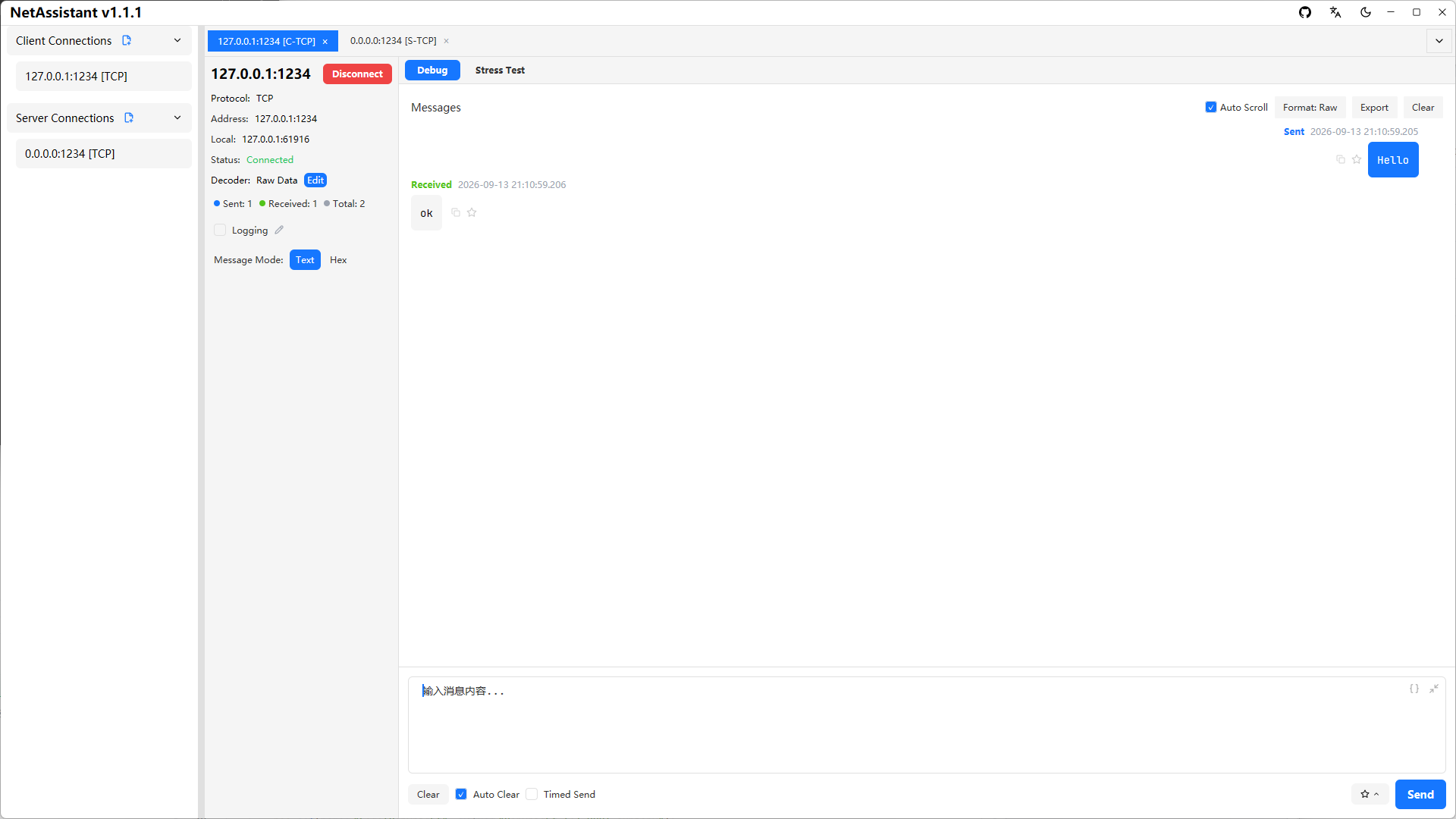
NetAssistant is a native macOS network debugging tool for Apple Silicon and Intel. It is free and open source, and brings TCP/UDP client and server, four TCP decoders, MQTT 3.1.1 / 5.0 debugging, hex send/receive and TCP/UDP-only high-concurrency stress testing into one app.
Why Mac users choose NetAssistant
- NetAssist has no Mac version: continue with a familiar debugging workflow on macOS
- Native build: Rust + GPUI, not an Electron wrapper, with fast startup and low memory usage
- Apple Silicon support: a universal DMG runs on M1/M2/M3 and Intel Macs
- Complete feature set: TCP/UDP client and server, decoders, MQTT, toolbox and TCP/UDP stress testing
- Consistent experience: dark mode follows the system, multi-tab connections and saved configurations
Install on macOS
Recommended: universal DMG
- Download
netassistant-macos-universal.dmgfrom the download page - Open the DMG and drag NetAssistant into Applications
- If macOS says the developer cannot be verified, right-click NetAssistant and choose Open, or allow it in System Settings > Privacy & Security
This is the normal prompt for an app that is not notarized. It does not mean the app is damaged, and you do not need to disable Gatekeeper.
Alternative: zip
Download netassistant-macos-universal.zip and extract it. Executable permissions are preserved.
Core features
TCP/UDP client and server
Create TCP client, TCP server, UDP client and UDP server connections on macOS, with IPv4/IPv6, multi-tab debugging and local address/port binding.
TCP sticky packets and four decoders
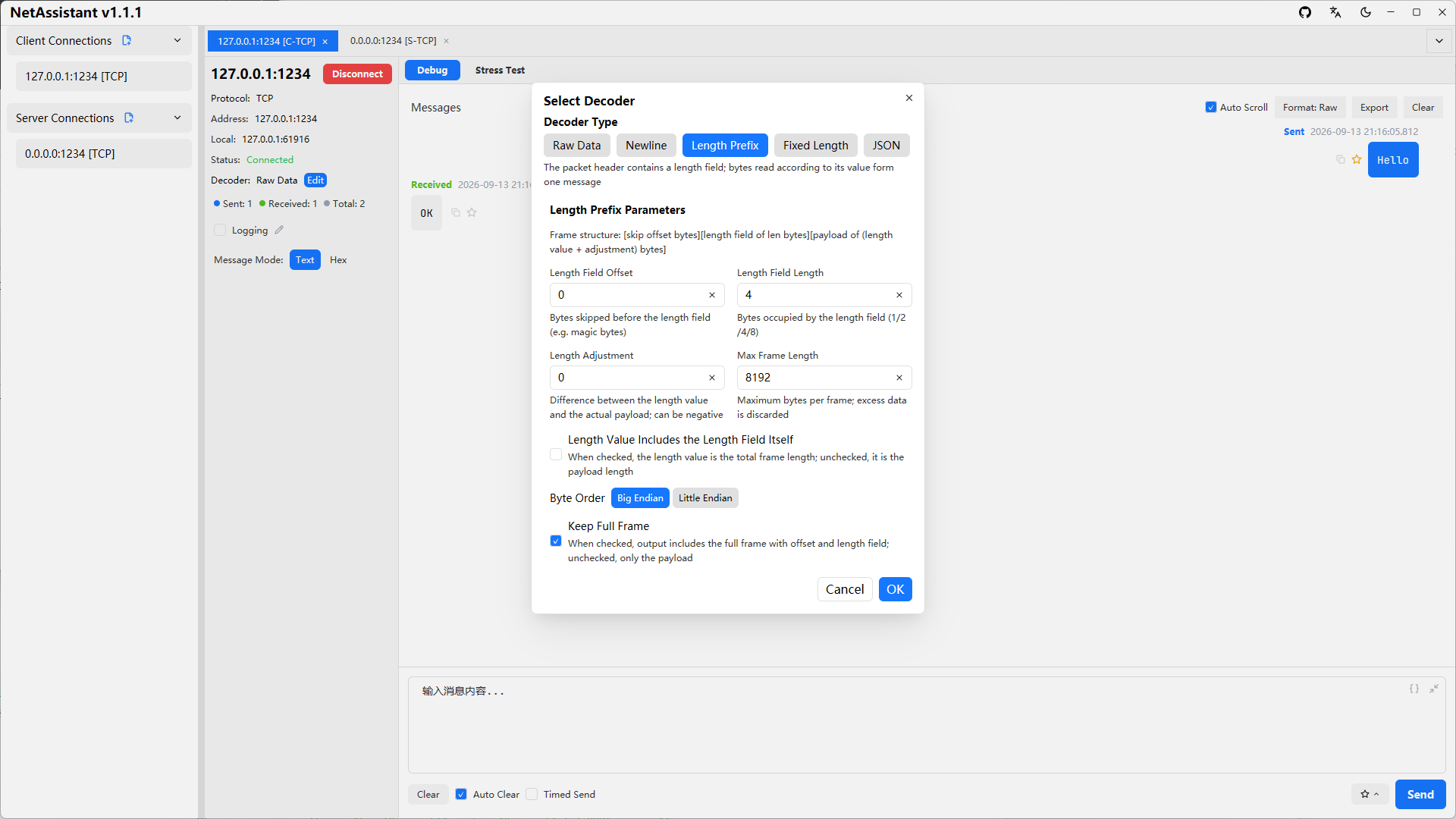
The receiver supports raw, line-delimited, length-prefix and JSON decoders, splitting messages by protocol boundary. Both send and receive support text and hex modes.
Built-in stress testing
Test your own server without installing another tool: real-time QPS, p50/p95/p99 latency, failure breakdown and CSV export. See the stress testing guide.
MQTT debugging
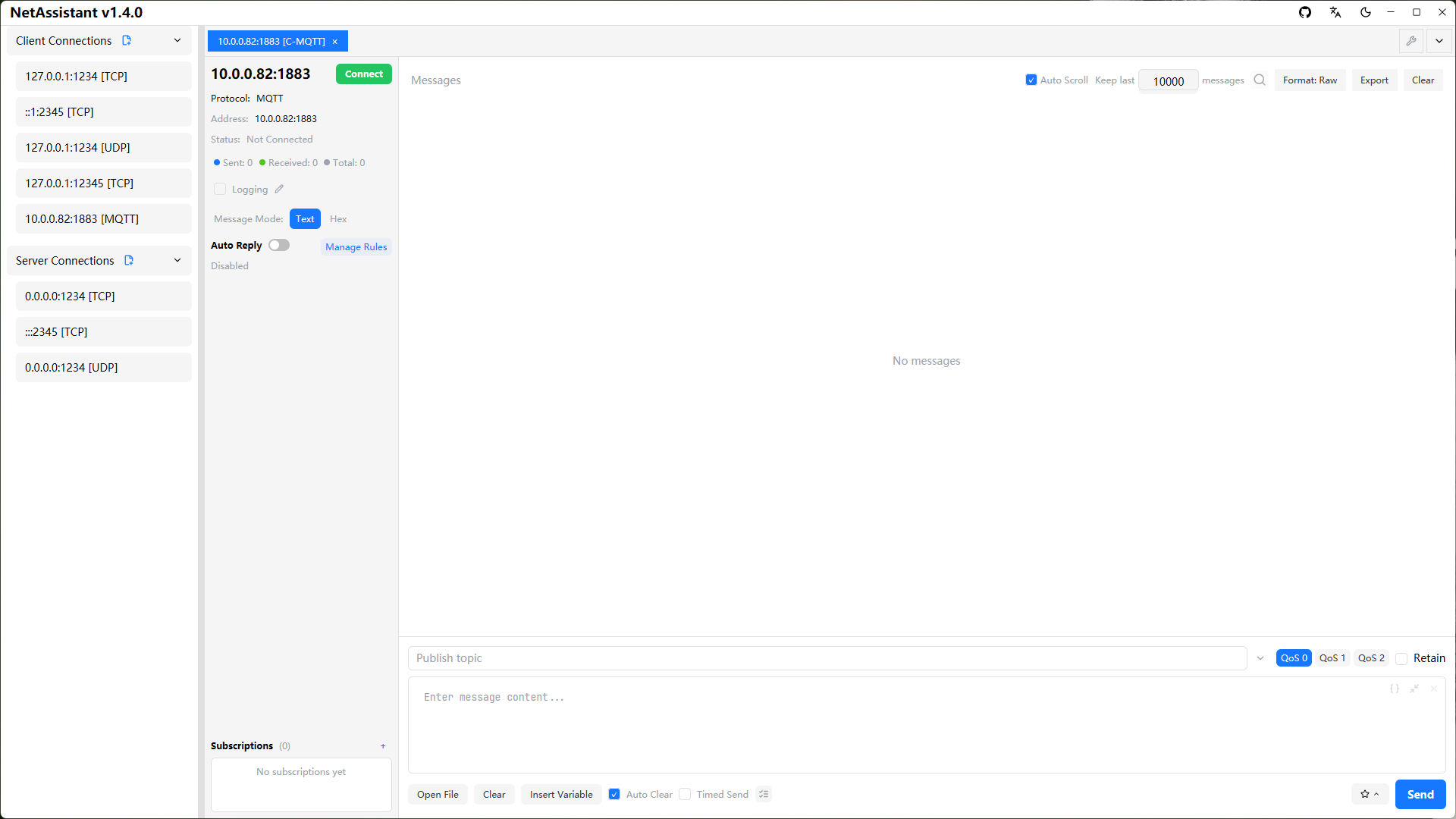
An MQTT 3.1.1 / 5.0 client with subscription management, QoS 0/1/2, retain, last-will messages and auto-reply.
Built-in toolbox
Convert, checksum, hash, time, JSON, encoding and random tools in a permanent tab, so you do not have to switch between the browser and editor while debugging.
NetAssistant vs other Mac tools
| Dimension | NetAssistant | Packet Sender | Wireshark |
|---|---|---|---|
| Focus | TCP/UDP send/receive debugging | Multi-protocol send/receive | Packet capture and analysis |
| Client/server | TCP and UDP | Yes | Not for interactive send/receive |
| Receive-side decoders | Raw / line / length-prefix / JSON | No | Partial stream reassembly |
| Built-in stress testing | QPS + latency percentiles | Basic | No |
| Scripting/CLI | No | Yes | tshark |
| License | Apache-2.0 | Open source | GPL |
Packet Sender covers more protocols, including SSL/DTLS, HTTP and CLI automation. Wireshark is the tool for packet capture. NetAssistant is built for quick TCP/UDP send/receive, sticky-packet handling and stress testing on a Mac.
Typical use cases
- Embedded and IoT: UDP broadcast discovery, hex send/receive and highlighting replies from unexpected addresses
- Backend verification: act as a TCP/UDP client or server to validate communication logic
- Learning and teaching: run TCP/UDP labs on a Mac without a Windows virtual machine
- Cross-platform work: keep the same workflow on Windows, Linux and macOS
System requirements
| Item | Requirement |
|---|---|
| OS | macOS 10.15 or later |
| Architecture | Apple Silicon and Intel (universal) |
| Installation | Universal DMG or zip |
| License | Apache-2.0, free to use |
FAQ
Is there a Mac version of NetAssist?
NetAssist is Windows-only. NetAssistant is a native macOS network debugging tool that can replace it for TCP/UDP debugging.
Does NetAssistant support Apple Silicon?
Yes. The universal DMG runs on Apple Silicon and Intel Macs with macOS 10.15 or later.
How do I open an app that macOS cannot verify?
Right-click NetAssistant and choose Open, or allow it in System Settings > Privacy & Security. This is normal for an app that is not notarized.
How is NetAssistant different from Packet Sender?
Packet Sender covers more protocols, including SSL/DTLS, HTTP and CLI automation. NetAssistant focuses on TCP/UDP debugging with sticky-packet decoders and stress testing. See the comparison or the NetAssist alternative guide.
Does it support MQTT?
Yes, MQTT 3.1.1 / 5.0 with TLS, subscriptions, QoS 0/1/2, retain and last-will messages. MQTT over WebSocket and advanced 5.0 features are not provided.